
How the service works
From the first family conversation to a plan everyone can act on.
You lead the relationship and the judgement. Succession Navigator guides the process, captures the evidence and keeps every person, question and decision moving towards a finished plan.
Natural conversation
You sit with the family and talk. The platform captures it.
Whole-family input
Everyone affected gets asked, including those not on the farm.
Options and validation
Materially different pathways, tested with the right specialists.
Actionable plan
Decisions, responsibilities and dates the family can work to.
A service your team can actually deliver
You bring the relationship. The platform brings the structure.
No one is asking your advisers to become succession-planning technologists overnight.
Your adviser leads
- The family relationship and the meeting
- Professional judgement and follow-up
- Which options move forward
- The final client conversation
Succession Navigator handles
- Meeting capture and a structured case record
- Person-specific questions and missing information
- Pathway drafting, evidence and readiness checks
- Professional briefs, plan assembly and version history
The engagement at a glance
Four guided stages. One connected family record.
Understand the family
Map people, history, goals, concerns, assets and the current position.
Shared starting point
Engagement stage
Explore pathways
Develop materially different options with assumptions, dependencies and risks visible.
Choices worth discussing
Planning stage
Test the decisions
Route the right questions to the right specialists before commitments are made.
Professionally tested direction
Validation stage
Create the plan
Turn the agreed direction into responsibilities, actions, milestones and implementation.
A plan the family can use
Build stage
From a conversation to a plan
Your meeting is just a conversation.
You sit at the table and talk. The platform listens, captures every word, and builds the family’s case while you do it.

The meeting
You sit down with the laptop open and have a conversation. That's the whole method.
Illustrative example using the built-in Murray family demonstration case. Not a real client.
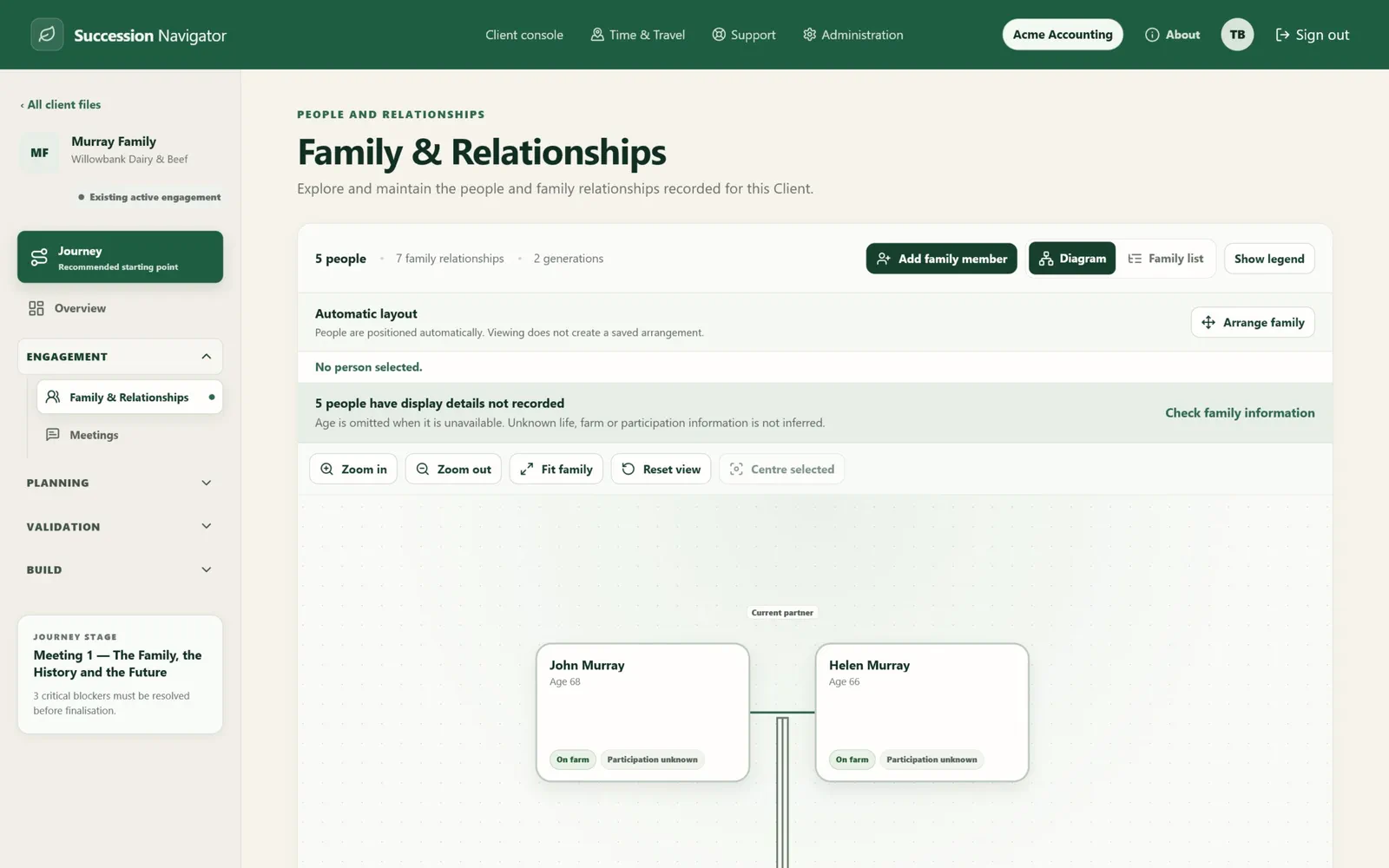
See the whole family
Map the people before asking them to agree on the future.
Succession Navigator turns recorded family information into a working genogram. Advisers see generations, relationships, on-farm and off-farm involvement, participation status and the case information connected to each person.
- A shared picture of who is involved and affected
- Family Input connects back to the recorded person
- Unknown relationships or details are not invented
Build a defensible case record
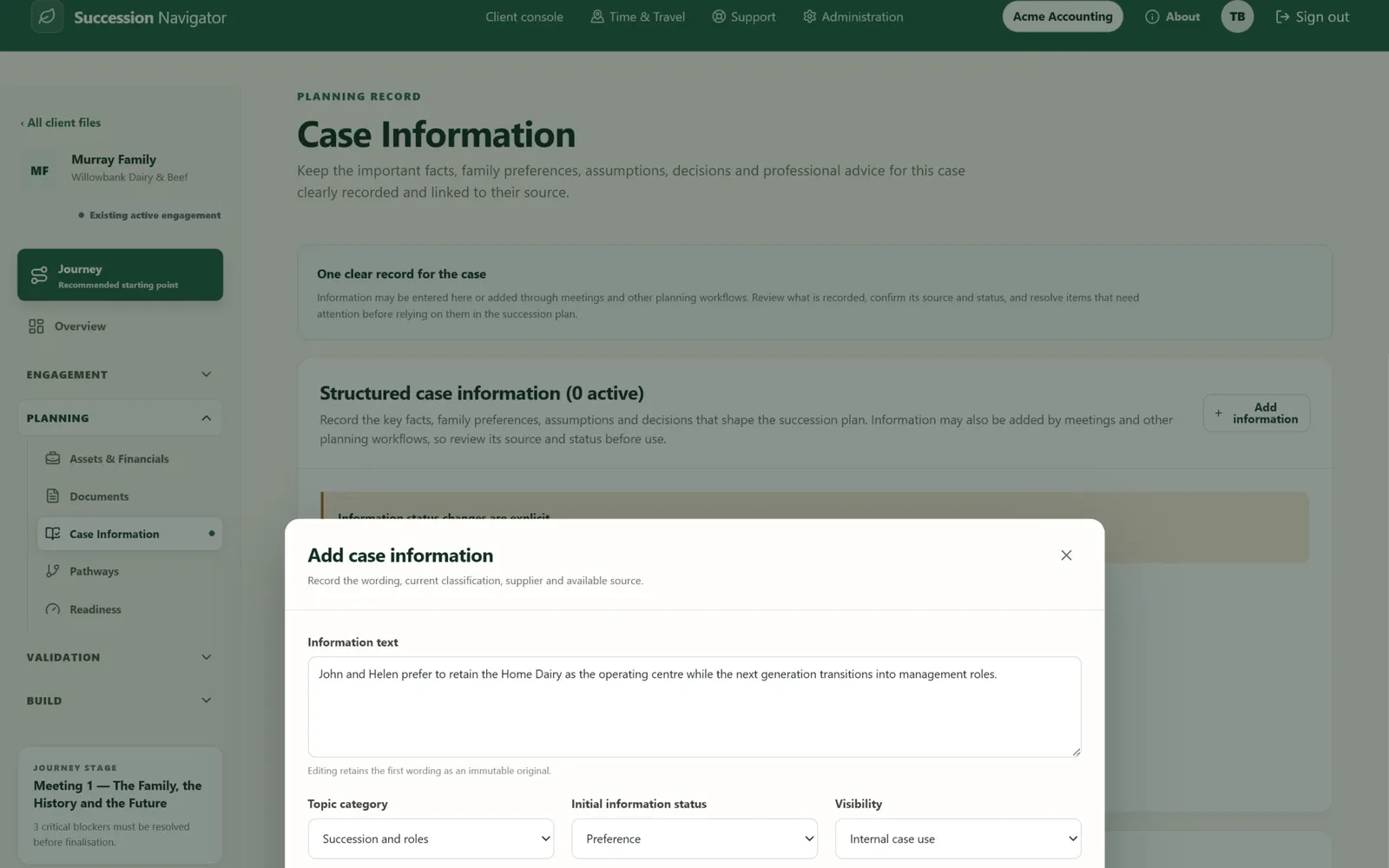
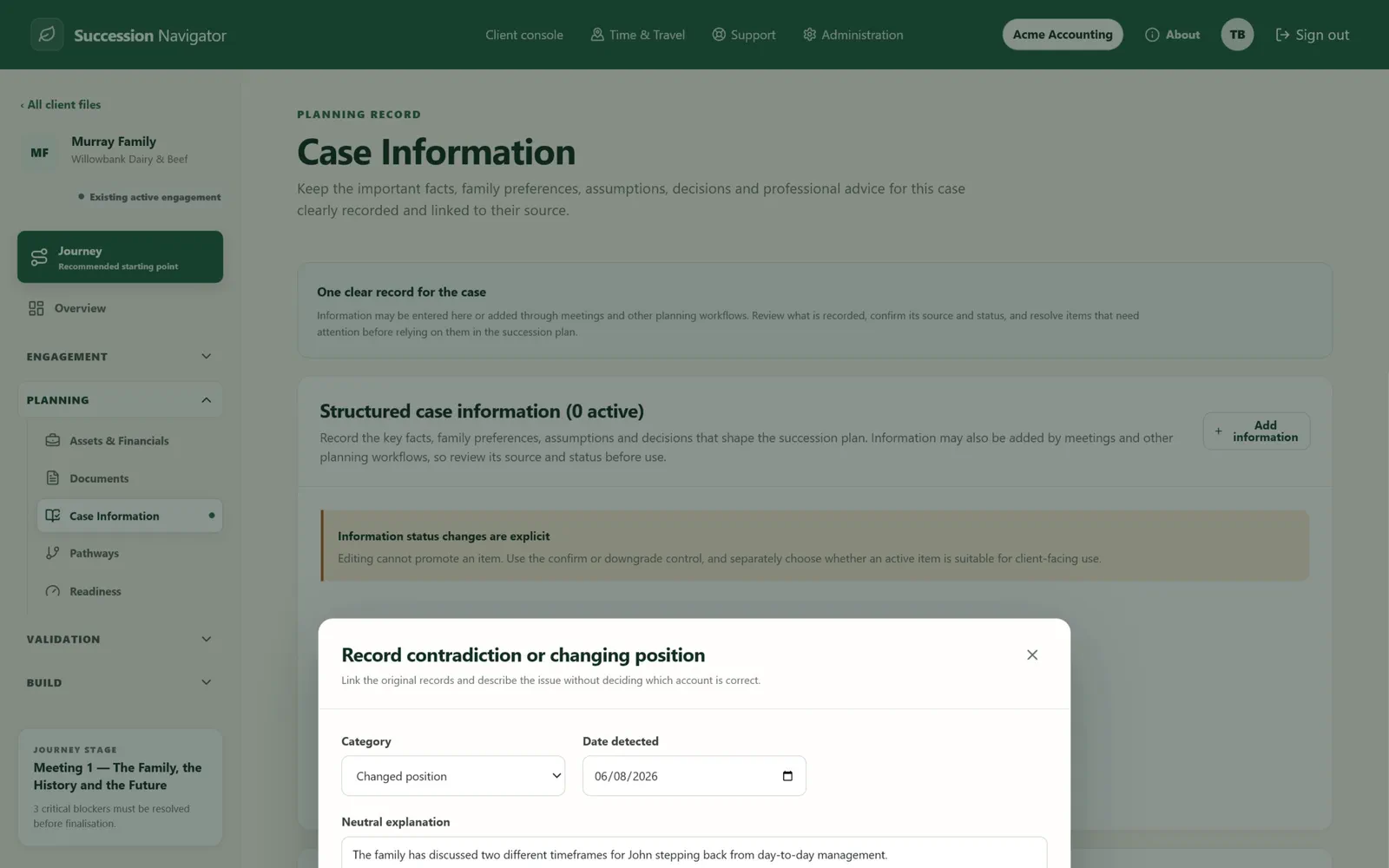
Every important statement keeps its source, status and context.
The Case Information workspace keeps facts, preferences, assumptions, decisions, professional-review items and contradictions clearly classified and linked to their source.
- Original wording and current wording remain traceable
- Information status and visibility stay explicit
- Conflicting accounts can remain visible without choosing a winner
Recording a statement
When two accounts disagree
Explore materially different pathways
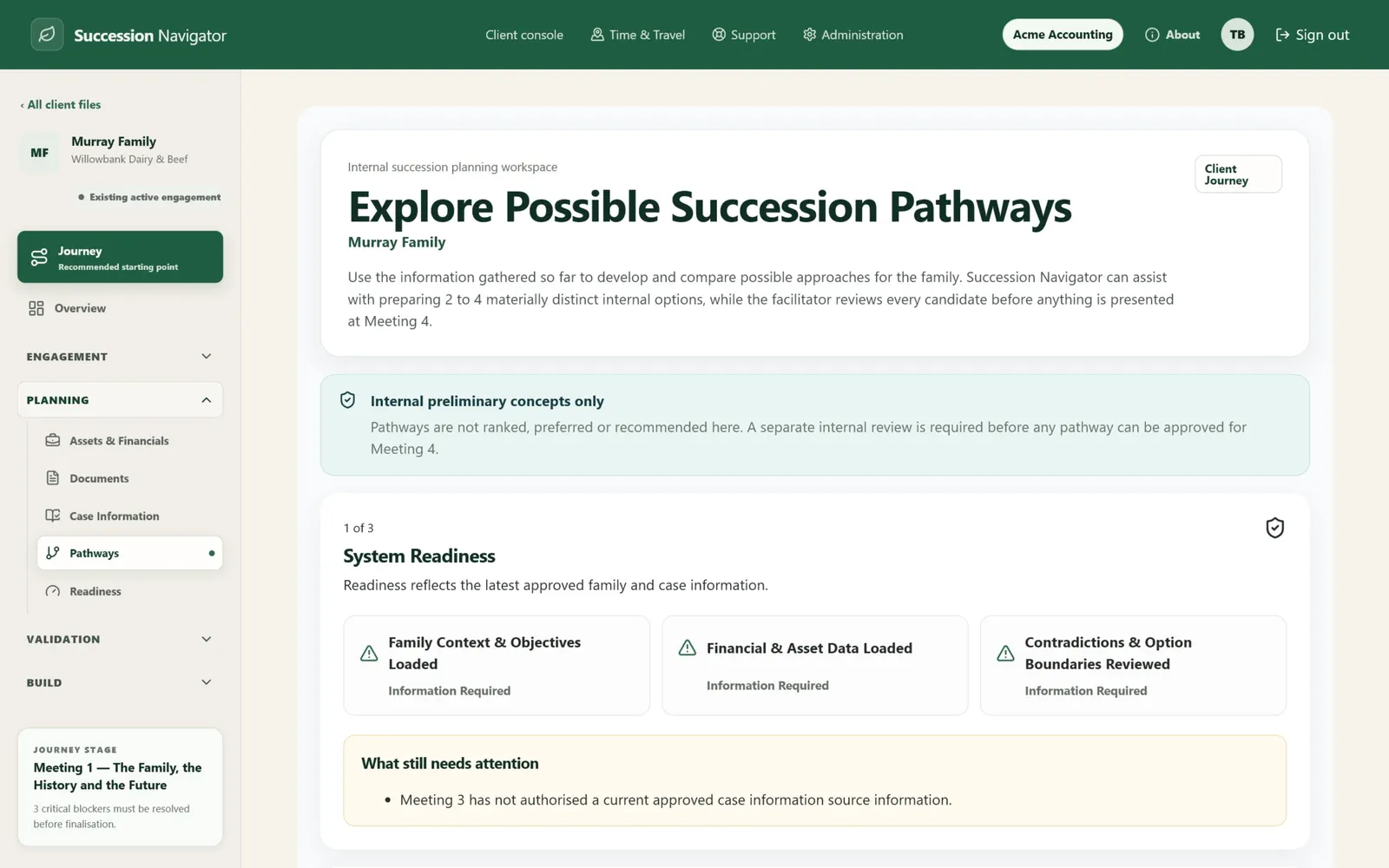
See the choices clearly. Keep the decision human.
Succession Navigator uses approved case information to prepare distinct pathway candidates for facilitator review. It keeps assumptions, conditions and professional-validation needs visible and does not select a preferred pathway.
- Evidence-linked candidate pathways
- Facilitator review, edit and approval controls
- Comparison without ranking or recommendation
Validate with the right professionals
Bring in specialist expertise at the moment it is needed.
The platform identifies questions and dependencies, then prepares a focused professional brief using only the information relevant to that discipline. The adviser remains the coordinator.
- Solicitor, accountant, financial planner, lender and other specialists
- Professionally scoped briefs
- Responses return to the shared case record
The case
Adviser-led, one shared record
Solicitor
Structures, agreements, transfer mechanics
Accountant
Tax position, entities, timing
Financial planner
Retirement funding, insurance
Lender
Serviceability, security, buyout finance
Answers return
Each response comes back to the same case record, attributed to the professional who gave it.
Move forward when the case is ready
No false progress. No critical question quietly skipped.
Readiness checks show what is complete, what remains uncertain and what needs adviser review before a stage can close.
- Material blockers are visible
- The adviser reviews every gate
- Progress follows evidence, not the meeting clock
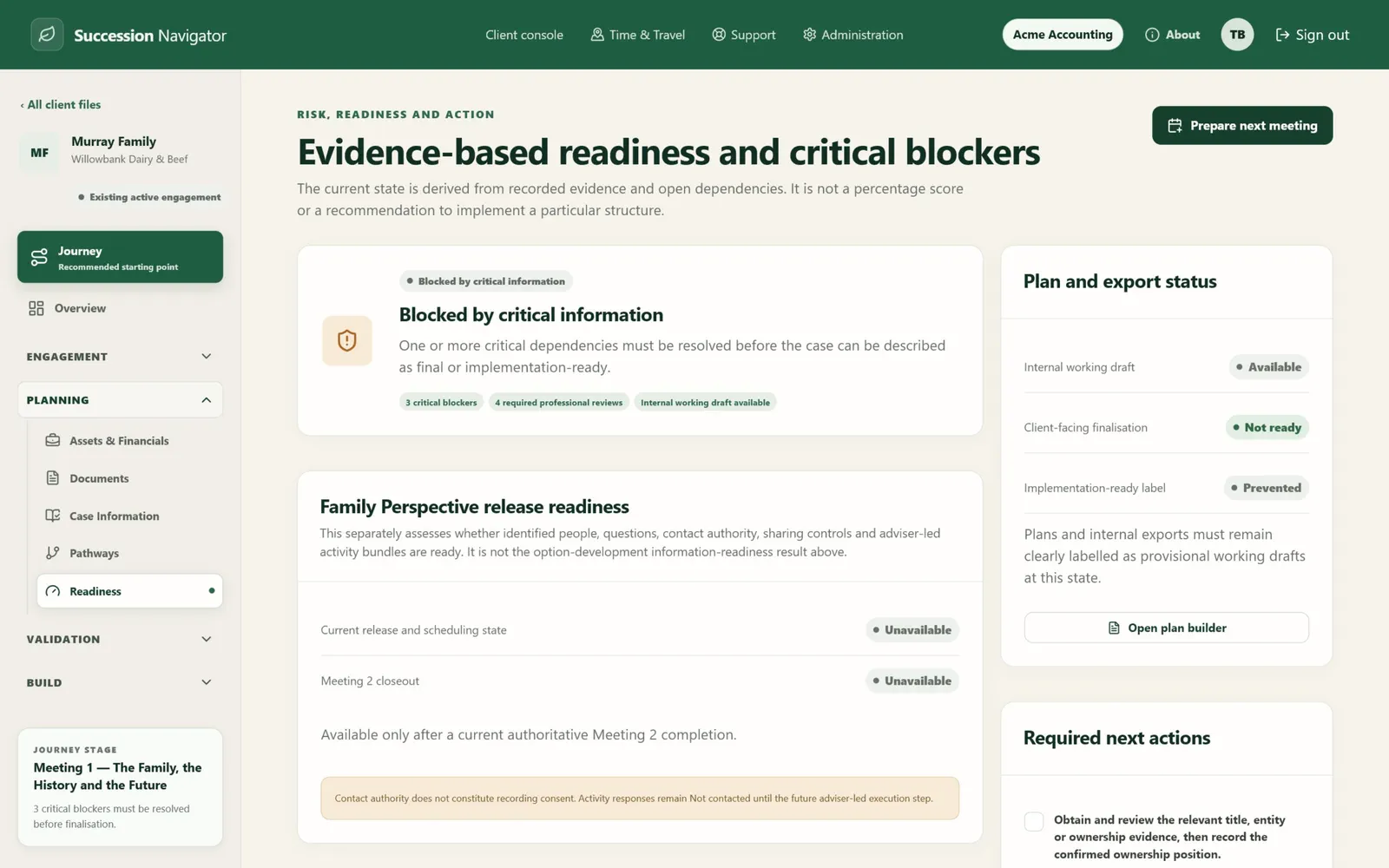
Finish with a plan people can act on
The engagement has a clear end, and a practical next step.
Deliver the agreed direction, professional dependencies, responsibilities, milestones and implementation roadmap in one versioned plan.
- Clear decisions and unresolved items
- Named responsibilities and due dates
- Version history for future review
The plan being built
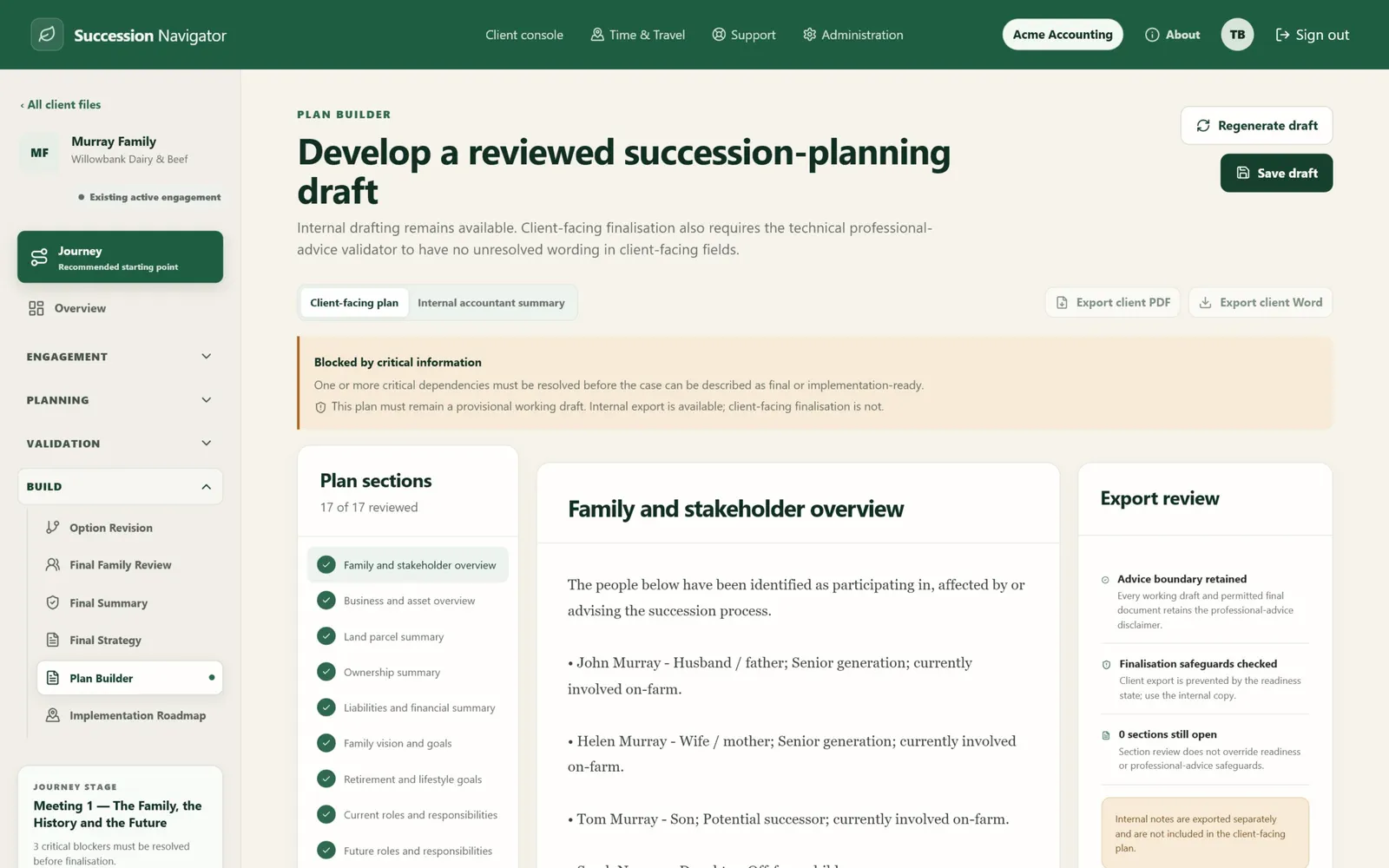
What the family receives
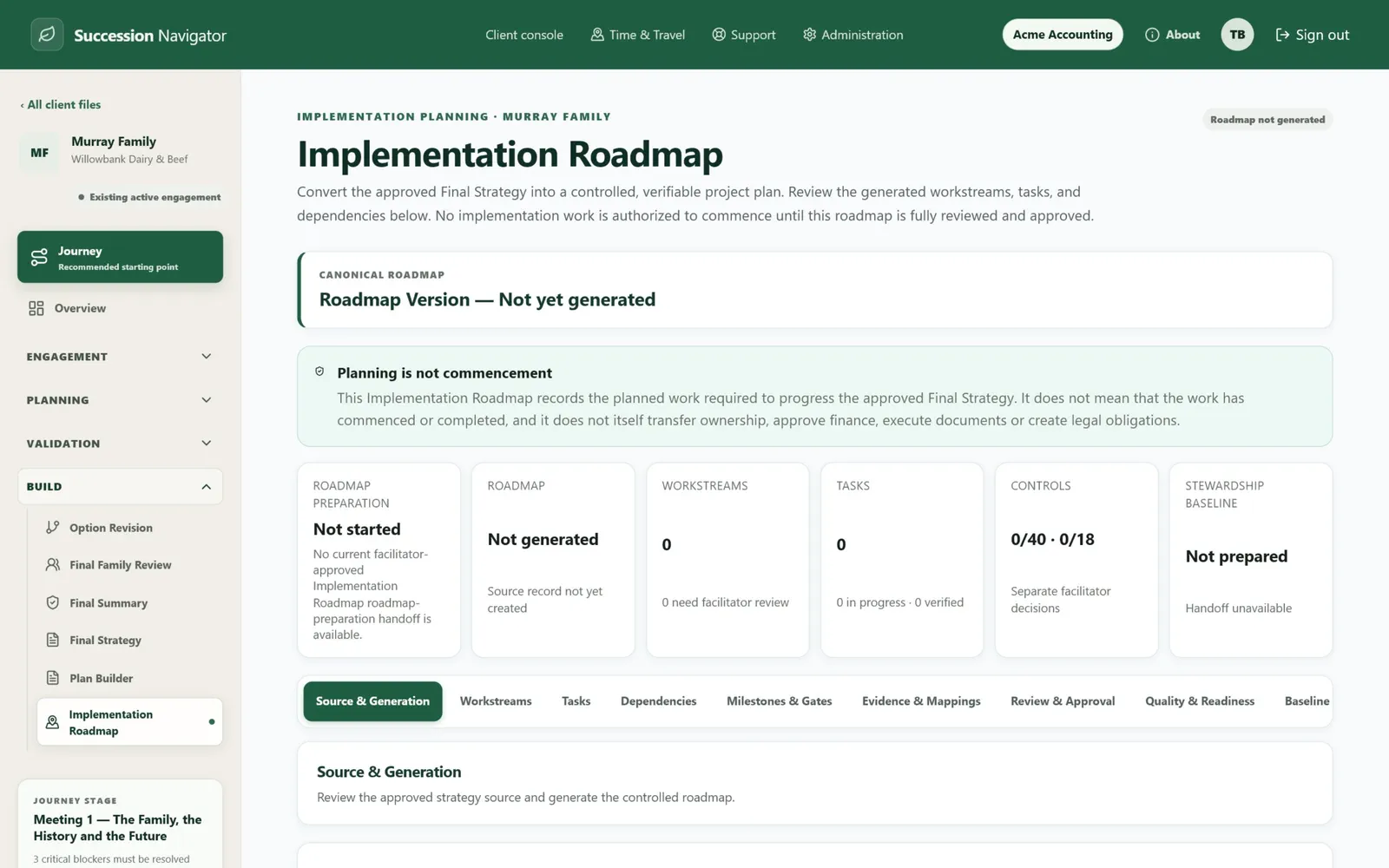
Illustrative example using the built-in Murray family demonstration case. Not a real client.
See it in practice
Watch one family move through the complete service.
See the conversation, family input, evidence, pathways, professional validation and the final plan, end to end on one family's case.
A conversation about your practice, the opportunity in your farming client base, and whether it's worth taking further. .